

How to Build an Auction Website By Using WordPress?
 Due to technology, our world is continually evolving. The auction business is the same! where an online auctioning system has replaced the traditional physical in-person bidding mechanism. But how to build an auction website by using WordPress? We’ll demonstrate how to build an auction website by using WordPress in this post.
Why use WordPress to build an Auction website?
The ideal method to provide your community access to an online auction environment for buying and selling goods is to build an auction site. An auction site that focuses on a certain niche has its own place in the market, despite the fact that there are several huge auction sites like eBay. Your users will benefit from being able to easily buy and sell things to neighbors who share their interests. The community around the auctions is vibrant, unlike eBay. This implies that users of your auction site may quickly reach their intended audience. A community-powered auction site is also preferred by many consumers because it offers them a higher return on investment. You may sell your items directly to the highest bidder by setting up an auction website, cutting out any middlemen. Other auction platforms’ fees and lock-in can be avoided. Additionally, you have the option of setting a listing fee and receiving a commission on each transaction. Starting an online auction website is one of the finest methods to earn money online. Hence, let’s talk about how to build an auction website by using WordPress.Create an Auction website from scratch using WordPress
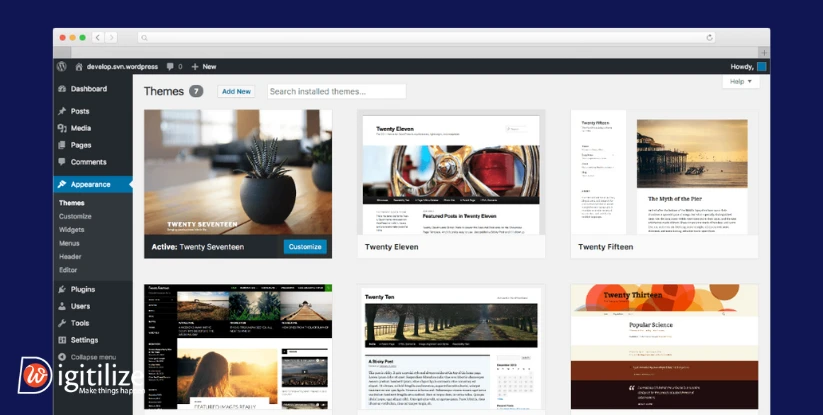 Today, creating a website is simple. WordPress has made it unnecessary to spend months putting together HTML, CSS, and other scripts to create a unique website. Your auction website may now be developed in a matter of hours with the aid of WordPress.
-
Setting up the website
-
Install auction addons
- The store page has an option to display or conceal the auction.
- Option to display or conceal out-of-stock merchandise.
- On the store page, there is an option to show or conceal closed bidding.
- Option to conceal or display products from unfinished auctions and other items on the shop page.
- Option to add products from auctions and other sources to your basket.
- In the bidding tab, you have the choice of showing an encrypted or full username.
-
Adding auction items
-
Manage your auction
 Your product page’s YITH plugin lets you select the time when the auction will begin. Then, you may choose when to begin and end your auction. Any logged-in users may place a bid on a product after the auction starts. You may automatically view the following information on the individual auction pages: the current highest bid, the amount of time left, the auction finish time, and the bid button.
The YITH plugin’s main advantage is that it allows you complete control over your bids. By logging into your WordPress dashboard, you may quickly delete any bid that is on your auction listing page. The only thing you have to do to remove a bid from your auction is click the Delete bid button next to it. The highest bidder will automatically receive the item and his price at the conclusion of the auction. If a bidder chooses to give the purchase now price that you have specified, the auction might terminate before the timer expires since the item will be added to the buyer’s basket immediately.
Anyone bidding will receive an email notification with the most recent bid, the grace period, and the auction finish time. The grand prize winner will be urges that they may buy the item.
Your product page’s YITH plugin lets you select the time when the auction will begin. Then, you may choose when to begin and end your auction. Any logged-in users may place a bid on a product after the auction starts. You may automatically view the following information on the individual auction pages: the current highest bid, the amount of time left, the auction finish time, and the bid button.
The YITH plugin’s main advantage is that it allows you complete control over your bids. By logging into your WordPress dashboard, you may quickly delete any bid that is on your auction listing page. The only thing you have to do to remove a bid from your auction is click the Delete bid button next to it. The highest bidder will automatically receive the item and his price at the conclusion of the auction. If a bidder chooses to give the purchase now price that you have specified, the auction might terminate before the timer expires since the item will be added to the buyer’s basket immediately.
Anyone bidding will receive an email notification with the most recent bid, the grace period, and the auction finish time. The grand prize winner will be urges that they may buy the item.
-
Let other users to add auction items